SMS Consent and Opt-In Flow
Last updated: August 7, 2026
This page documents exactly how a consumer consents to receive text messages from Prempt, including screenshots of the consent screen. It exists so that our messaging program can be reviewed in full without creating an account.
Prempt Inc
7803 Bleriot Avenue, Los Angeles, CA 90045, United States
support@prempt.ai
Published demo number: +1 534 231 9533
1. Consent is never required
Consent to receive text messages is not a condition of purchase, of creating an account, or of using any part of the Prempt service. Consumers who decline can complete signup and use the product normally.
We do not buy, rent, sell, or share opt-in lists. No mobile information is shared with third parties or affiliates for marketing or promotional purposes. See our Privacy Policy.
2. There are exactly two ways to opt in
Method A — Texting us first (consumer-initiated)
The “Text me a demo” button on prempt.ai opens the consumer’s own messaging app, addressed to our published demo number +1 534 231 9533, with a prefilled message. The consumer sends that message themselves; that act initiates contact and opts them in.
The disclosure shown directly beneath that button reads, verbatim:
By texting us, you agree to receive automated text messages from Prempt about our AI front-desk service, including a reply with a link to sign up. Message frequency varies. Msg & data rates may apply. Reply HELP for help or STOP to opt out.
This disclosure is present in the raw HTML served at prempt.ai, so it can be read without executing JavaScript.
Method B — The consent checkbox during signup
When a consumer enters a mobile number while creating an account, an optional consent checkbox is shown directly beneath the number field. The checkbox reads, verbatim:
I agree to receive transactional SMS from Prempt at the number provided. Consent is not a condition of purchase. Message frequency varies. Msg & data rates may apply. Reply HELP for help or STOP to unsubscribe.
Because this screen is part of creating an account, screenshots of it are published below.
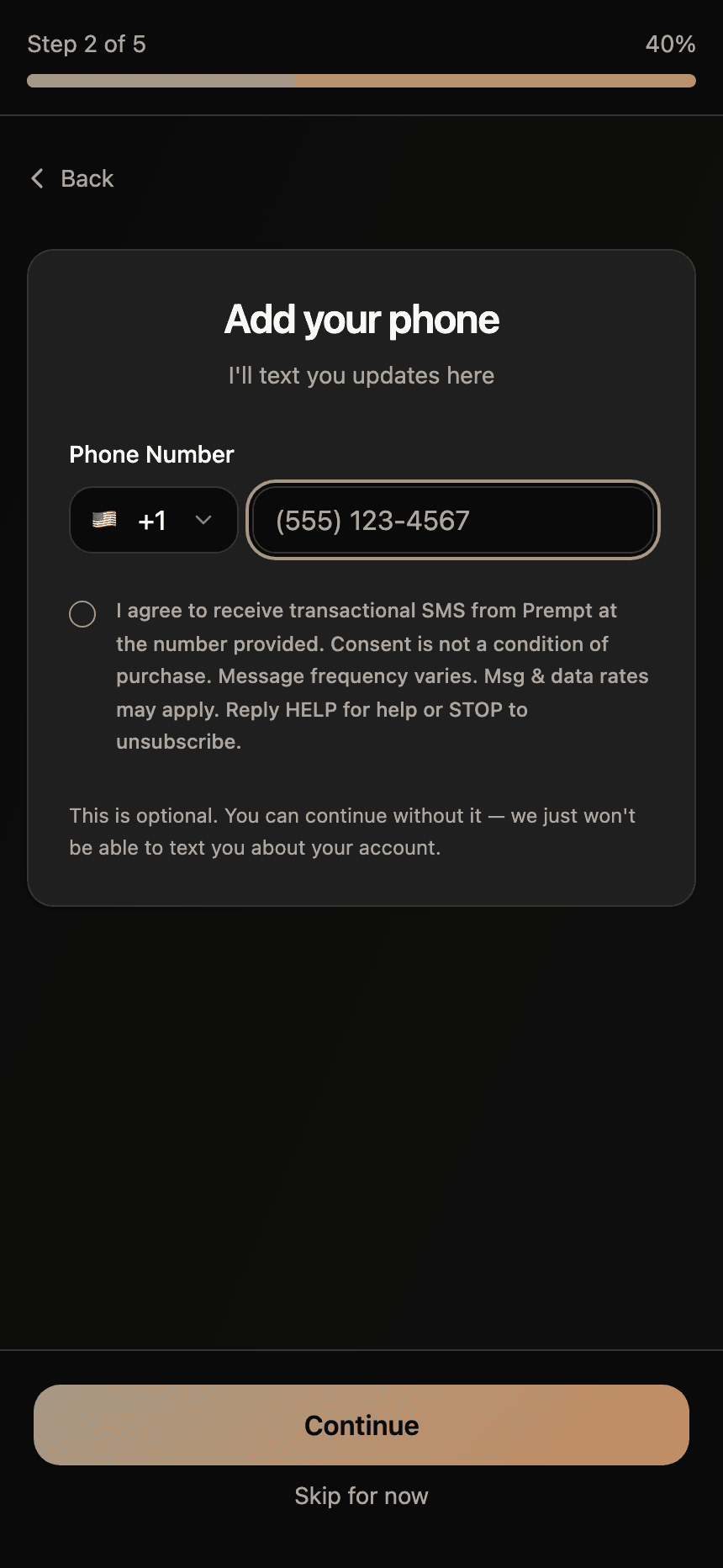
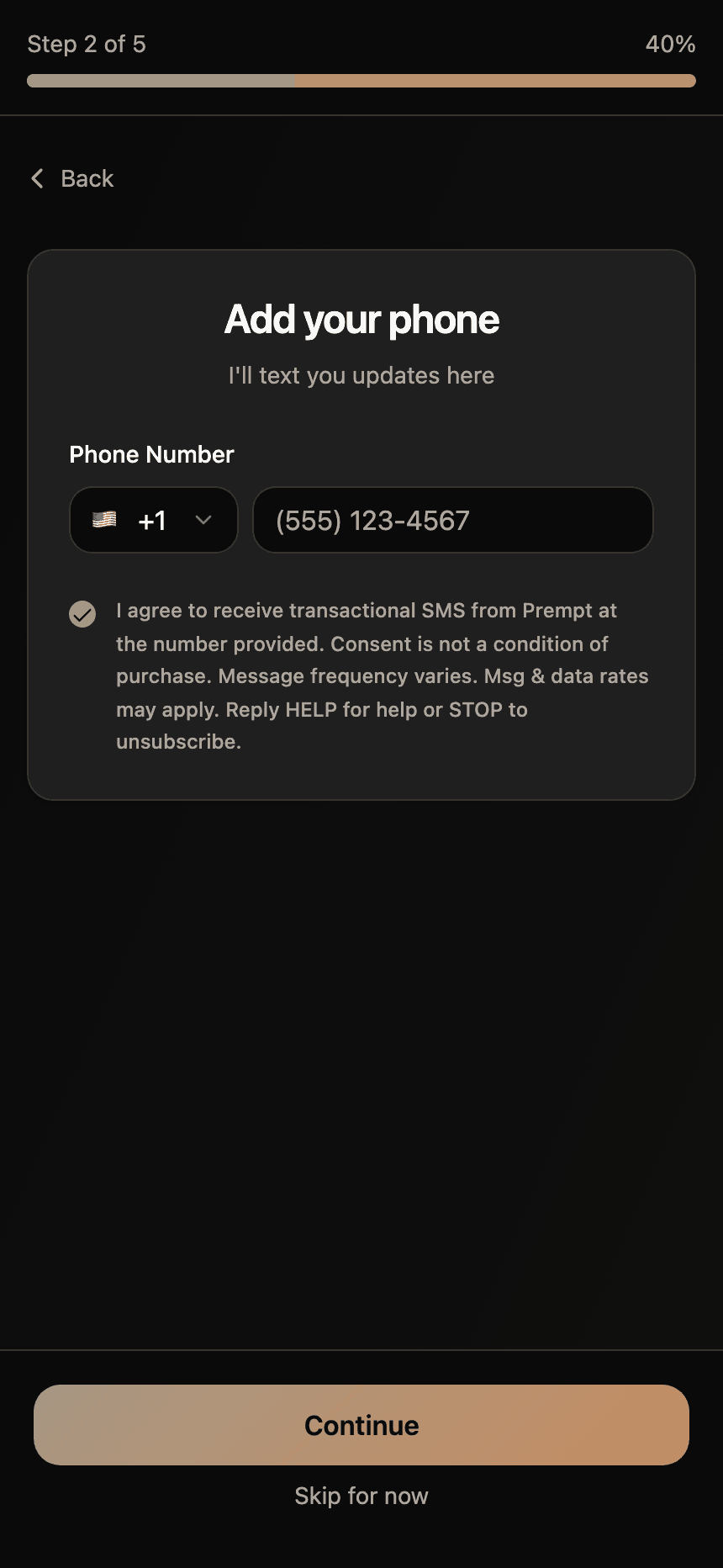
If the consumer declines
Leaving the box unticked and pressing Continue advances signup without storing a mobile number at all. We therefore hold no SMS-reachable number for anyone who has not opted in, and cannot message them. Signup completes normally and the product is fully usable.
These two methods are the only ways consent is collected. Prempt has no other screen or form that captures a mobile number for messaging.
3. What we send
- Demo messaging. A consumer who texts our demo number receives a reply introducing the product together with a signup link, and may continue a conversation with our AI assistant.
- Customer messaging. Account holders may receive onboarding confirmations, appointment reminders, scheduling updates, and service notifications.
4. Frequency, rates, and opting out
Message frequency varies. Message and data rates may apply.
Reply STOP to any message to opt out at any time; you will receive one confirmation message and then no further messages. Reply HELP for assistance, or contact support@prempt.ai.
Carriers are not liable for delayed or undelivered messages.